AV Blog 5: From Training to Benchmark — Deploying a ResNet Planner in CARLA
Taking a trained trajectory planner off the GPU and into a live CARLA simulation: sensor I/O, coordinate transforms, a trajectory controller, and first benchmark results on Bench2Drive.
(Note: Sections of this post were produced with LLM assistance)
Training a model is the easy part. Plugging it into a live simulation and watching it actually drive — that’s where the interesting failures happen.
This post covers the full pipeline from a PyTorch checkpoint to a running CARLA agent: what sensor data comes in, how we map it to model inputs, what comes out, and how we turn a predicted trajectory into throttle and steering. We also run the model on the Bench2Drive benchmark and record video of its first real drives.
Chapter 1: What the Model Was Trained On
The planner we’re deploying is Architecture 3 from the ablation study — the ResNet-18 planner with a trainable backbone. At the time of this benchmark it has been trained for ~12 epochs on the full 1,004-scenario Bench2Drive dataset (~155k training samples, 1,395 validation samples from the Bench2Drive-mini split).
At each training step, the model receives:
| Input | Shape | Source |
|---|---|---|
past_traj | (B, 41, 2) | Ego world-frame positions, last ~4 s |
speed | (B, 41) | Ego speed in m/s |
acceleration | (B, 41, 3) | IMU 3-axis acceleration |
command | (B,) | High-level nav command (left / right / straight / lane-follow) |
images | (B, 1, 3, 224, 224) | Front camera, ImageNet-normalized |
And predicts future_traj: (B, 50, 2) — the next 5 seconds of ego position at 10 Hz, in ego frame (x = forward, y = left).
Training uses L2 loss on all 50 future waypoints. At epoch 12 the validation avg L2 is 1.83 m, down from ~4.5 m at epoch 0.
Chapter 2: Hooking Up the Sensor I/O
The Bench2Drive leaderboard provides sensor data through a fixed interface. Our agent registers the sensors it needs, and the leaderboard calls run_step(input_data, timestamp) at ~10 Hz.
Sensor suite we register:
{"type": "sensor.camera.rgb",    "id": "CAM_FRONT", "x": 1.3, "z": 2.3, "width": 224, "height": 224, "fov": 100}
{"type": "sensor.other.imu",     "id": "IMU"}
{"type": "sensor.speedometer",   "id": "SPEED"}
The front camera produces (224, 224, 4) RGBA frames. IMU gives linear acceleration. The speedometer gives scalar speed in m/s.
Coordinate Transform
The model was trained on world-frame trajectory history but predicts in ego frame. At inference we need to rotate the rolling position history into the current ego frame before feeding it to the model.
CARLA’s yaw convention (degrees, east=0, clockwise-positive) doesn’t match our training convention (radians, north=0). The conversion:
theta = math.radians(carla_yaw_deg) + math.pi / 2
Then world-frame positions are rotated into ego frame via:
x_ego =  dx * sin(theta) - dy * cos(theta)   # forward
y_ego =  dx * cos(theta) + dy * sin(theta)   # left
This matches the world_to_ego function used in dataset.py exactly — if the transforms don’t match, the model sees a coordinate system it was never trained on and outputs garbage.
Navigation Command Mapping
The leaderboard provides navigation commands as CARLA RoadOption enums. These needed remapping to our training-time command indices:
| CARLA RoadOption | CARLA Value | Our Index |
|---|---|---|
| LEFT | 1 | 0 |
| RIGHT | 2 | 1 |
| STRAIGHT | 3 | 2 |
| LANEFOLLOW | 4 | 3 |
| CHANGELANELEFT | 5 | 3 (→ LANEFOLLOW) |
| CHANGELANERIGHT | 6 | 3 (→ LANEFOLLOW) |
Getting this wrong was an early bug — the model received commands shifted by one, so “go straight” was interpreted as “turn right.”
Image Preprocessing
The ResNet-18 backbone was pretrained on ImageNet and fine-tuned, so we apply the standard ImageNet normalization at inference:
mean = [0.485, 0.456, 0.406]
std  = [0.229, 0.224, 0.225]
Forgetting this at inference is a subtle bug — the model still runs, it just sees a shifted input distribution and produces noticeably worse trajectories.
Chapter 3: From Trajectory to Vehicle Control
The model outputs 50 (x, y) waypoints in ego frame. CARLA needs (throttle, steer, brake) in [0, 1]. A simple TrajectoryController bridges the gap.
Steering is computed as the signed angle to the waypoint 1 second ahead:
angle = atan2(wp[1], wp[0])     # y=left, x=forward
steer = clip(k_steer * angle, -1, 1)
Speed target is derived from how far the trajectory extends over the next 2 seconds:
dist = ||wp_at_2s||
desired_speed = clip(dist / 2.0, 0, max_speed)
Throttle / brake use a proportional controller on speed error:
if desired_speed > current_speed:
    throttle = clip(k_throttle * (desired_speed - current_speed), 0, 0.75)
else:
    brake    = clip(k_brake    * (current_speed - desired_speed), 0, 1.0)
The key insight: the model implicitly encodes its desired speed in the spacing of its predicted waypoints. If the model predicts tightly-spaced waypoints (a slow, cautious trajectory), the controller will drive slowly regardless of what max_speed is set to. At this stage of training, the model’s speed equilibrium is around 3–3.5 m/s — it has learned to move, but hasn’t yet learned the confident, faster trajectories the expert demonstrates.
Chapter 4: Open-Loop Trajectory Visualizations
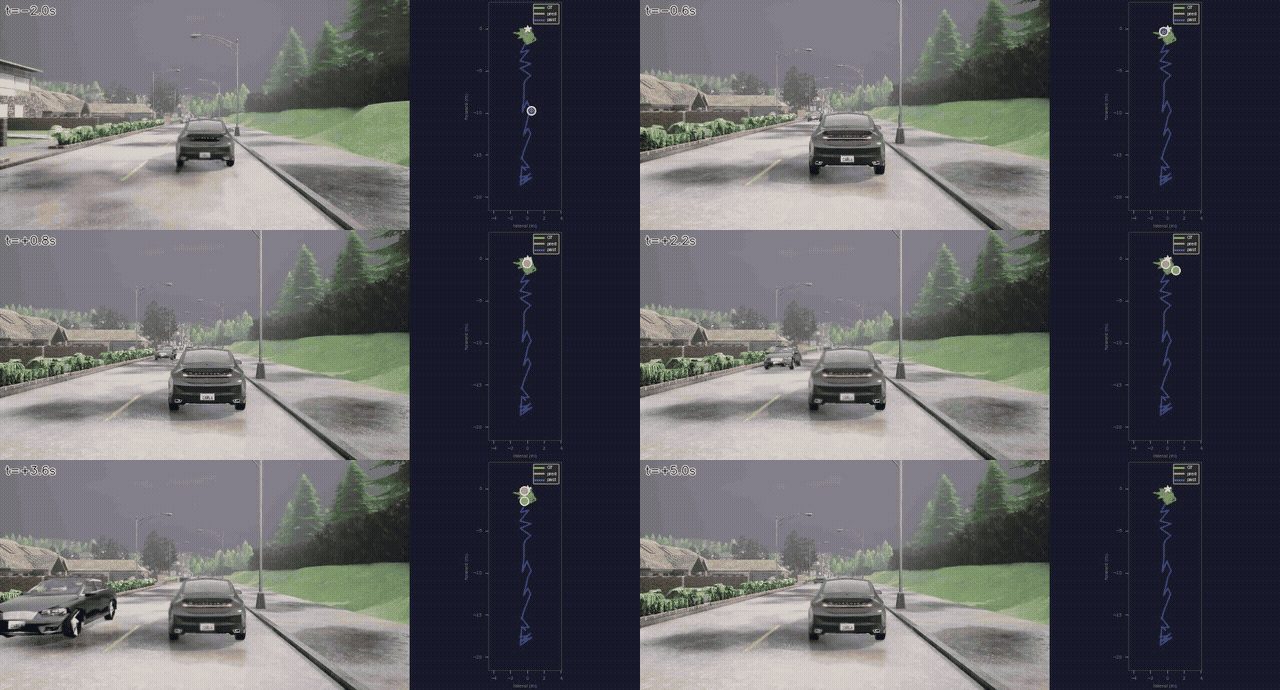
During training, the validation loop renders the model’s predicted trajectory overlaid on the ground-truth sequence. This is the clearest way to see what the model has actually learned — no controller, no simulation, just raw model output vs. expert.
Chapter 5: Expert Demonstrations vs. Model Behavior in CARLA
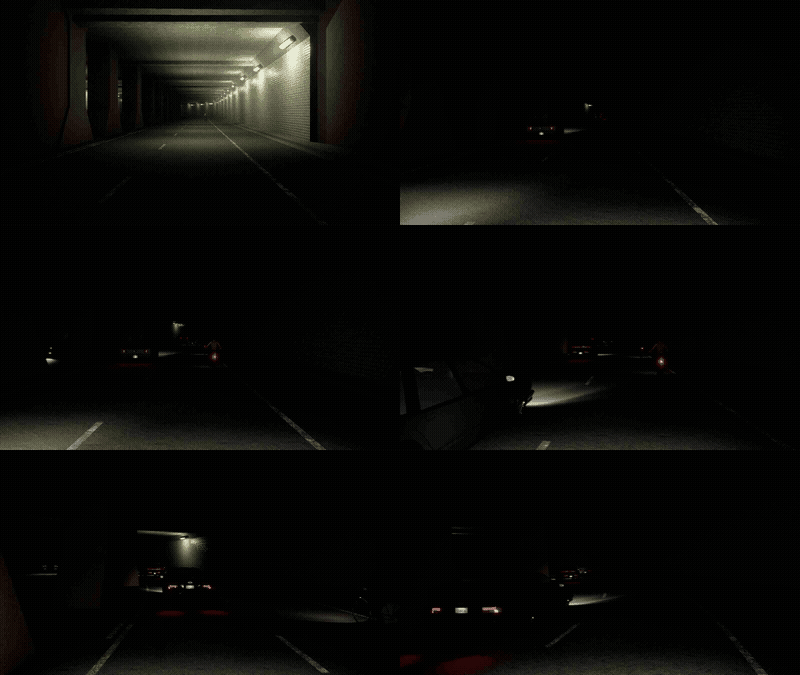
Before looking at our model, it’s useful to see what the expert driver does. Here is a HazardAtSideLane scenario from the training set — the expert navigates around a stopped vehicle partially blocking the lane:
Now here is our ResNet-18 planner at epoch 12, deployed in a HazardAtSideLane scenario:
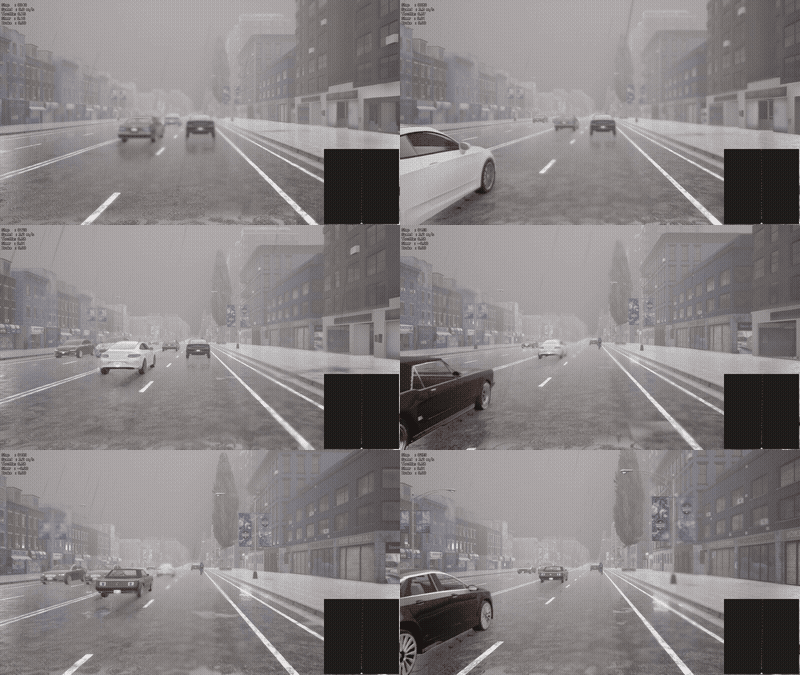
The model has seen the hazard avoidance maneuver 70+ times during training. The question is whether 12 epochs is enough to generalize it reliably. More training epochs should close this gap.
Chapter 6: Benchmark Metrics Explained
Before looking at our results, it’s worth understanding exactly what the Bench2Drive evaluator measures and how the scores are computed.
The Three Core Scores
Every route produces three numbers:
score_route — percentage of the route completed before failure or timeout. 100 = reached the destination. This is the raw “how far did the car get” number.
score_penalty — a multiplier in (0, 1] that starts at 1.0 and is reduced by each infraction. Multiple infractions compound multiplicatively. A penalty of 0.65 means the car lost 35% of its score to infractions.
score_composed — the final driving score:
score_composed = score_route × score_penalty
A perfect drive = 100. A car that completes the route but runs a red light scores less than 100. A car that completes 50% with no infractions scores 50.
Infractions and Their Penalties
Each infraction type applies a fixed multiplier to score_penalty:
| Infraction | Penalty Multiplier | Notes |
|---|---|---|
| Collision with pedestrian | ×0.50 | Harshest penalty |
| Collision with vehicle | ×0.60 | |
| Collision with static layout | ×0.65 | Curbs, walls, vegetation |
| Red light violation | ×0.70 | |
| Scenario timeout | ×0.70 | Agent too slow to complete a scenario |
| Yield to emergency vehicle | ×0.70 | |
| Stop sign violation | ×0.80 | Least severe fixed penalty |
| Off-road driving | proportional | Currently weighted 0 in Bench2Drive |
| Min speed infraction | logged only | Currently not penalising score (set to unused) |
Note: min speed infractions are tracked but do not currently reduce the score — they appear in the logs as an indication that the agent is driving too slowly relative to surrounding traffic, but the penalty weight is set to unused in the Bench2Drive leaderboard. This is relevant for our model, which consistently drives at ~3 m/s.
Terminal Failure Modes
A route ends early (before reaching the destination) for one of:
| Status | Meaning |
|---|---|
Completed | Destination reached — score_route = 100 |
Failed - Agent got blocked | Agent stopped moving for too long |
Failed - Agent deviated from the route | Agent left the designated route path |
Failed - TickRuntime | Agent exceeded the per-tick time budget |
Failed - Route timeout | Total route time limit exceeded |
A terminal failure freezes score_route at whatever percentage was completed at that point.
Chapter 7: Benchmark Results
We run the agent on the Bench2Drive leaderboard evaluator, single-route mode, on a HardBreakRoute in Town01 — a simple straight road, chosen specifically to isolate basic driving behavior from complex scenario logic.
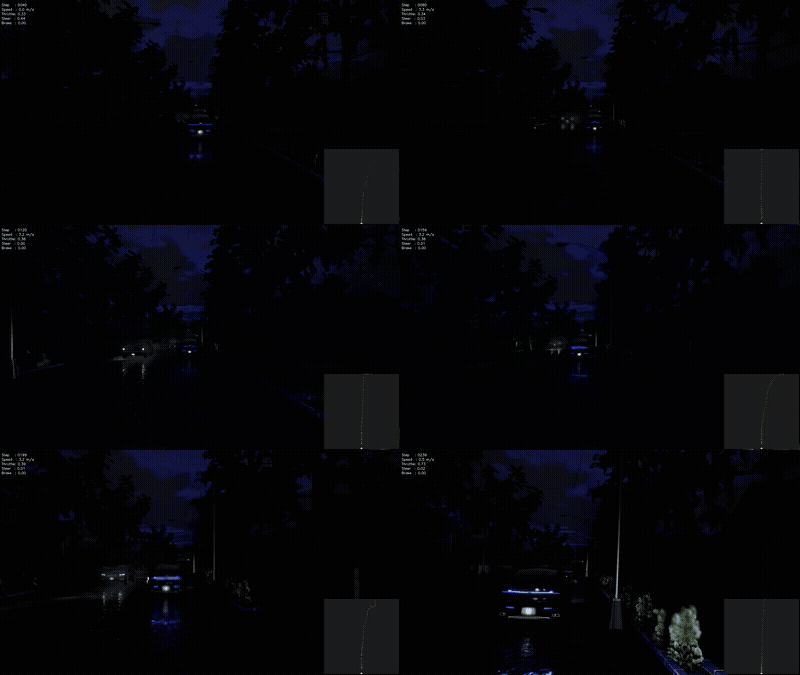
Results on RouteScenario_24781 (HardBreakRoute, Town01):
| Metric | Value |
|---|---|
| Driving Score | 15.3 |
| Route Completion | 23.5% |
| Infraction Penalty | 0.65 |
| Collisions with layout | 1 (vegetation) |
| Agent blocked | Yes |
| Min speed infractions | 3 |
The agent drives ~30m before getting stuck near a patch of roadside vegetation. The vegetation collision is likely a consequence of the model predicting a slightly off-center trajectory, combined with the conservative speed meaning it doesn’t have enough momentum to self-correct. The three minimum-speed infractions confirm the model is driving noticeably slower than surrounding traffic.
This is a 12-epoch checkpoint — the model is early in training. For context, the Bench2Drive leaderboard top entries achieve driving scores of 60–80. Our baseline has a long way to go, but the infrastructure is all working: the model is genuinely predicting in real time on a live CARLA world.
Chapter 8: Video Recording Pipeline
One unexpected addition to this work: an agent-side video recording system. Since CARLA runs offscreen (-RenderOffScreen), there’s no window to capture. Instead, we save annotated frames directly from the agent’s run_step callback.
Each frame gets:
- HUD overlay (top-left): step counter, speed, throttle, steer, brake
- Bird’s-eye trajectory inset (bottom-right): the 50-waypoint predicted trajectory in ego frame, color-coded green→red from near to far horizon
After each route, ffmpeg stitches the PNG frames into an MP4 at 10 fps. The output is organized by model name and scene:
benchmarking/results/videos/
  resnet18/
    HardBreakRoute_Town01.mp4
    HazardAtSideLane_Town12.mp4
    ParkingCutIn_Town12.mp4
    SignalizedJunctionRightTurn_Town12.mp4
    ...
  training_data/
    HazardAtSideLane_Town03_Route105_Weather22.mp4
This makes it easy to directly compare model behavior across scenes, and across training checkpoints as training progresses.
Chapter 9: What’s Next
The model is running and the infrastructure is solid. The immediate next step is simply more training — the model is mid-convergence and the slow, conservative driving behavior should improve naturally as it sees more gradient steps.
Longer term:
- Re-benchmark at later checkpoints — does route completion improve with more epochs? Does the hazard avoidance behavior emerge?
- Ablation results — run the full six-model ablation suite on the benchmark to see whether vision actually helps driving score vs kinematics-only baselines
- Speed distribution analysis — understand whether the conservative speed is a training data artifact or an architectural limitation
The code is at drive_e2e (GitHub).